Damage Types
Damage types decide what kind of damage is needed to harvest a resource, for example an axe for trees and a pickaxe for rocks.
Step 1: Create a Damage Type
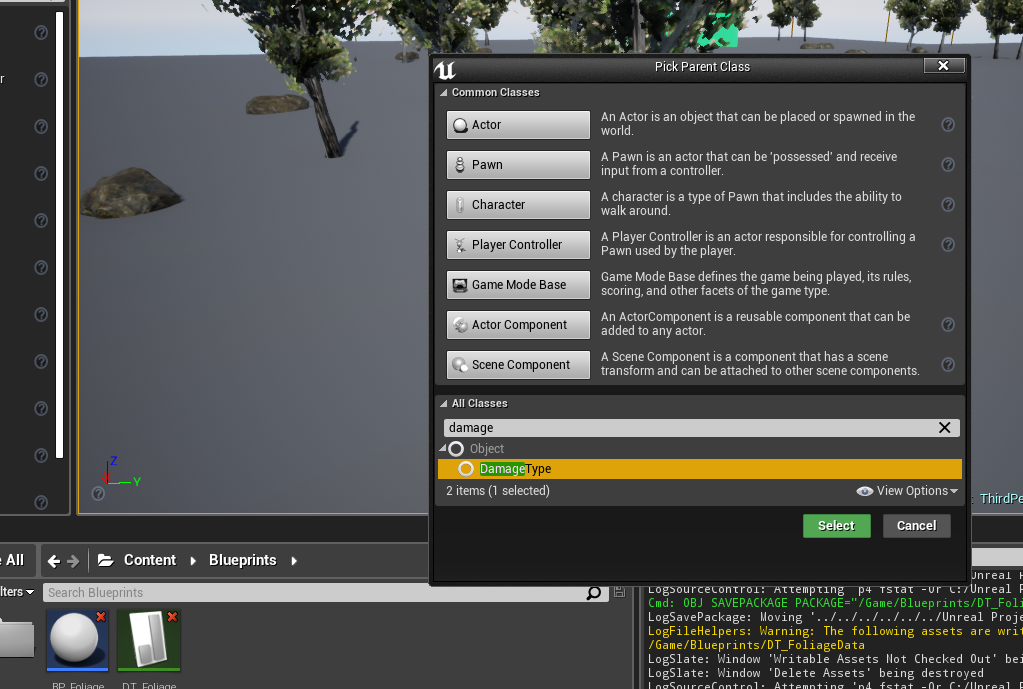
Create a new Blueprint class with DamageType as the parent class, for example Damage_Axe.
Step 2: Require it in the Data Table
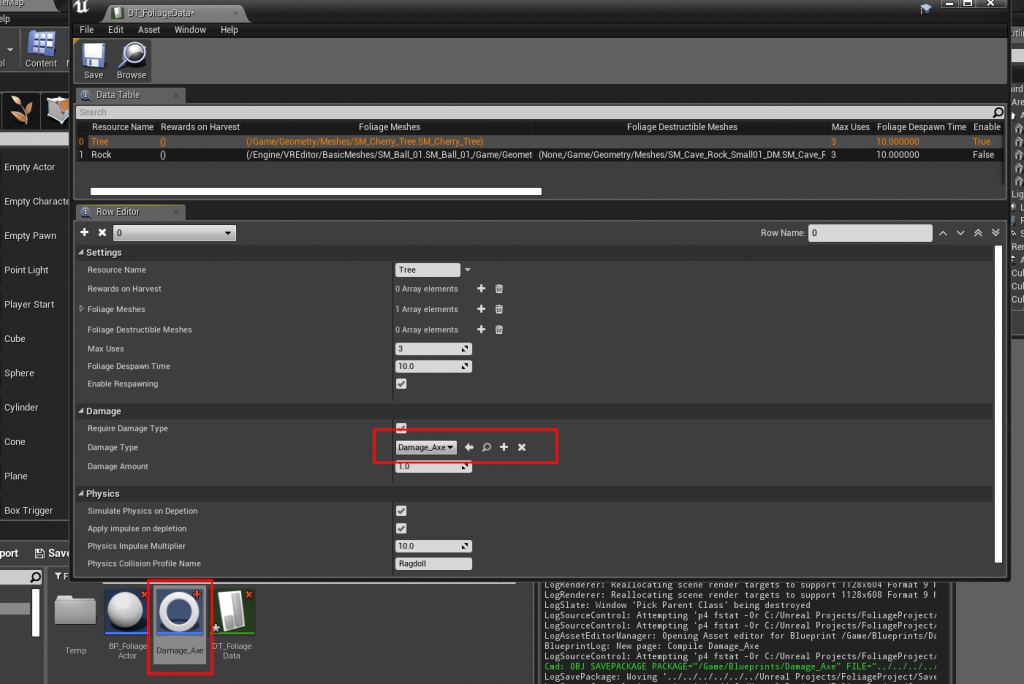
In the resource's row in the Foliage Data Table:
- Turn on Require Damage Type.
- Add your damage type to Valid Damage Types. You can add several, for example an axe and a chainsaw.
- Optionally set Damage Amount to the minimum damage a hit must do.
Step 3: Apply damage with that type
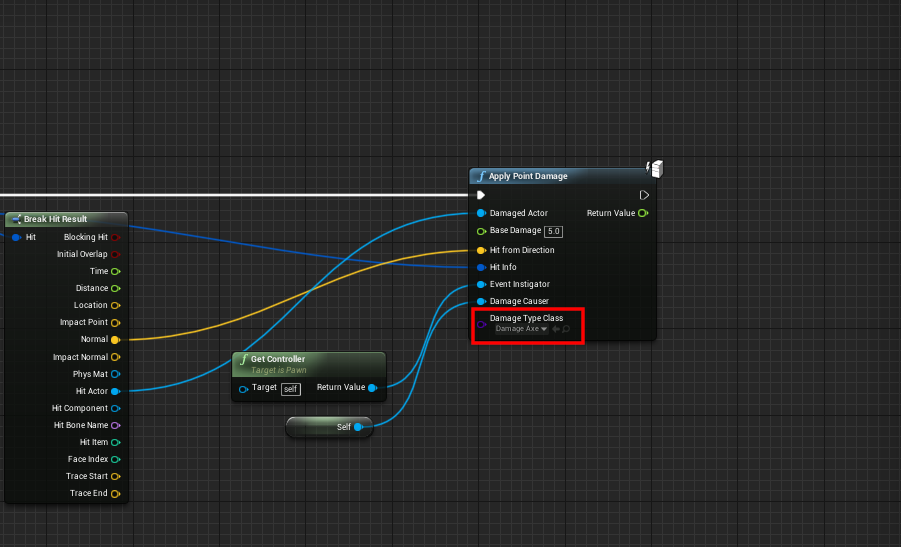
Pass your damage type as Damage Type Class when you apply damage:
How the check works
When Require Damage Type is on, a hit counts only if:
- the damage type is exactly one of the Valid Damage Types (child classes of a valid type do not count), and
- the damage is at least Damage Amount.
If Valid Damage Types is empty, only the damage amount is checked.
A hit that fails the check does nothing, and On Foliage Error Message is sent with Wrong Damage Type to the Instigator and the Damage Causer. Use it to show a message such as "You need an axe". See Foliage Plugin Interface.
When Require Damage Type is off, any damage above 0 harvests the resource.