Survival Game Kit v1
This tutorial was made for an older version of the Survival Game Kit and may need changes for newer versions.
Video demonstration
Step 1: Create the Data Table
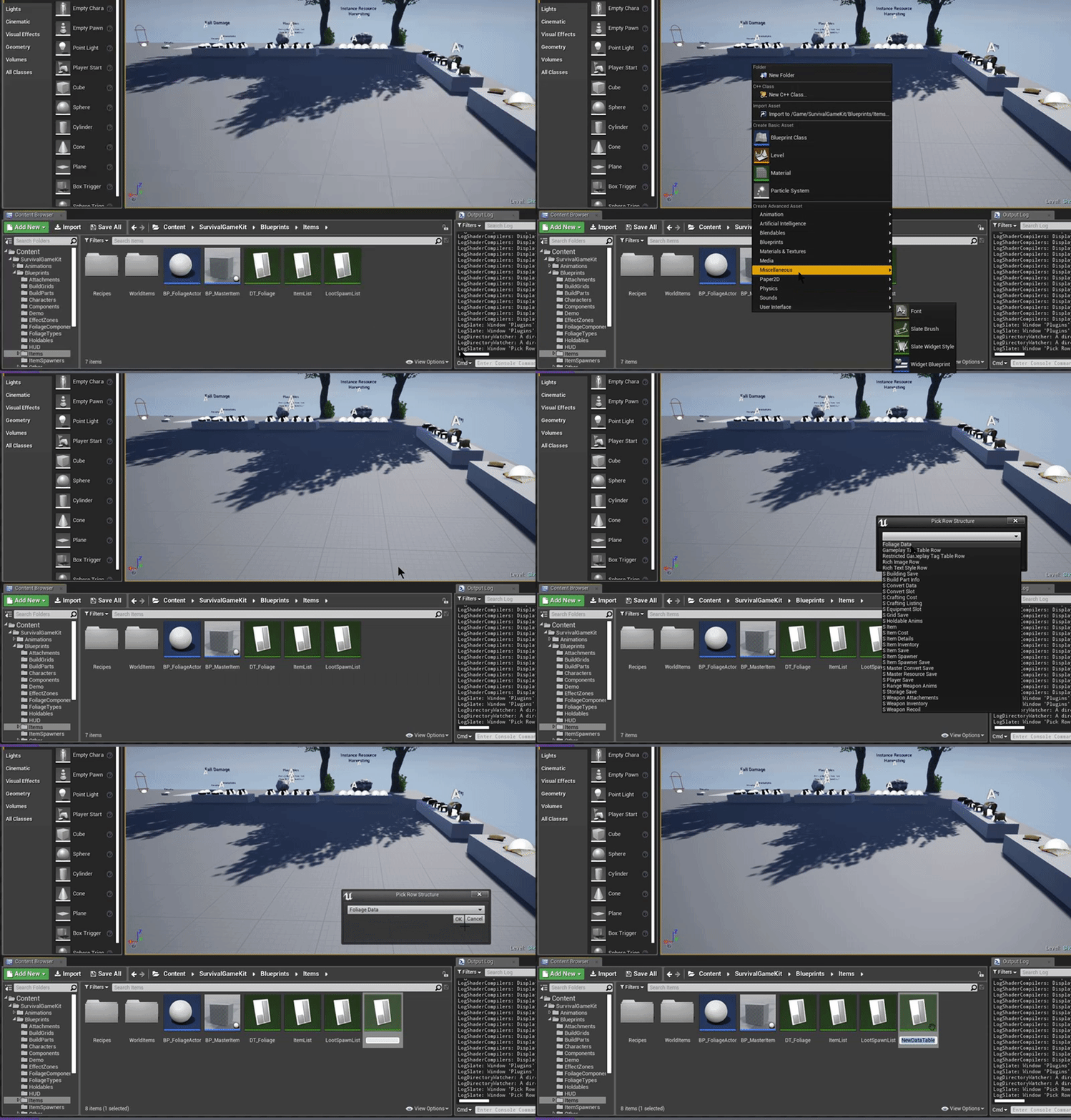
Create a Data Table with FoliageData as the row structure.
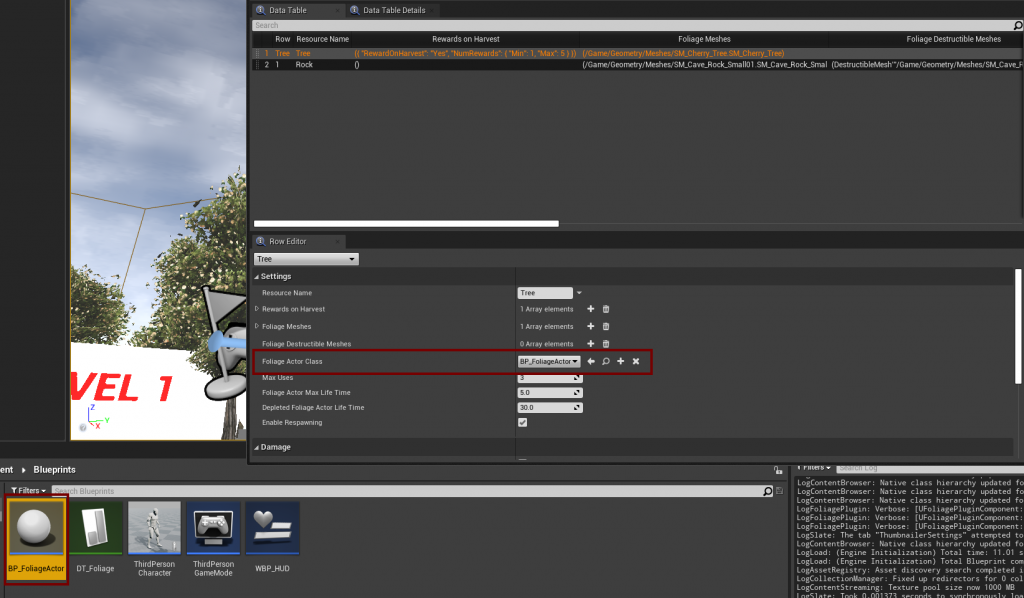
Step 2: Create the Foliage Actor
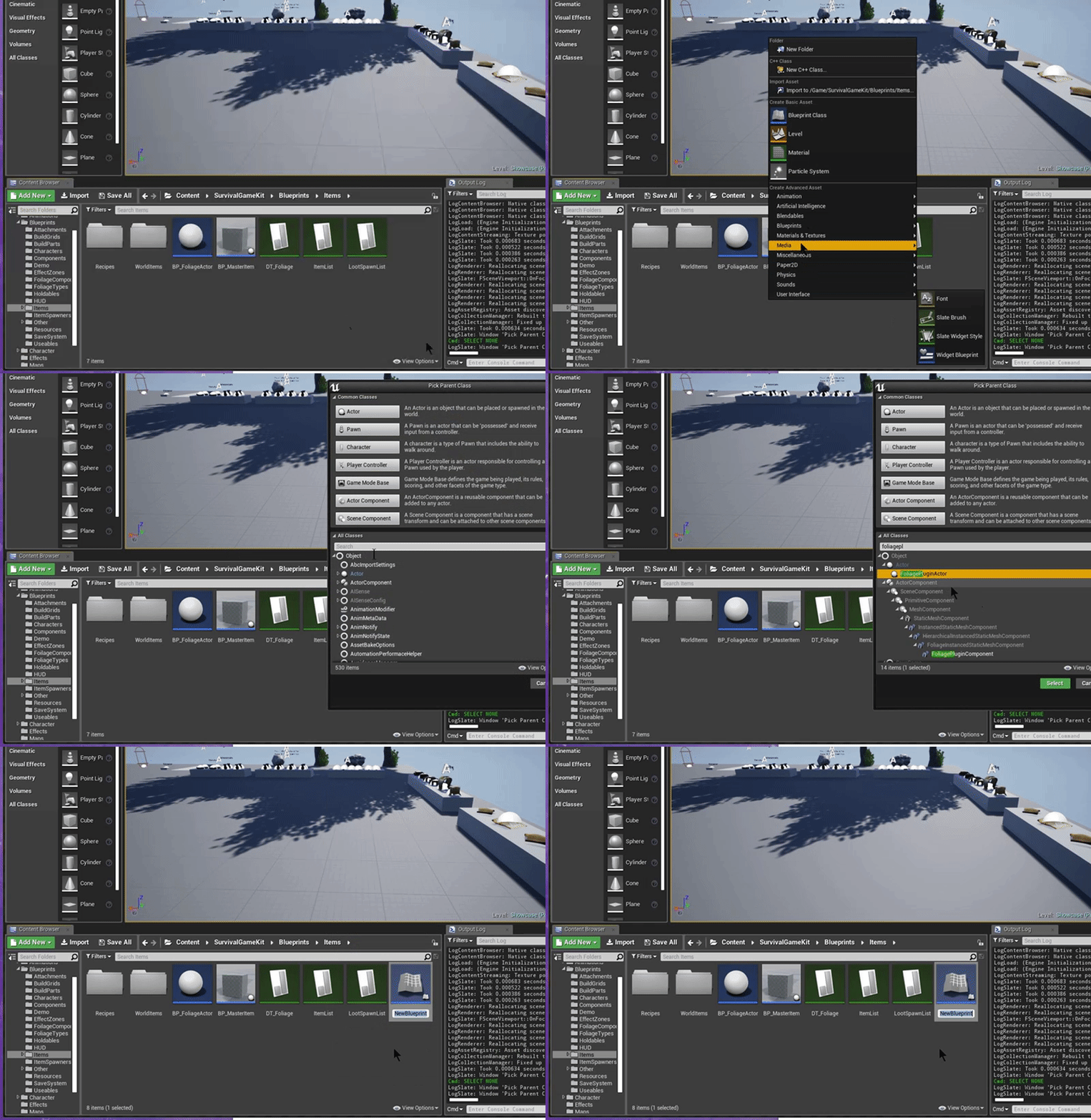
Create a Blueprint class with FoliagePluginActor as the parent class.
Step 3: Assign the Data Table in the Project Settings
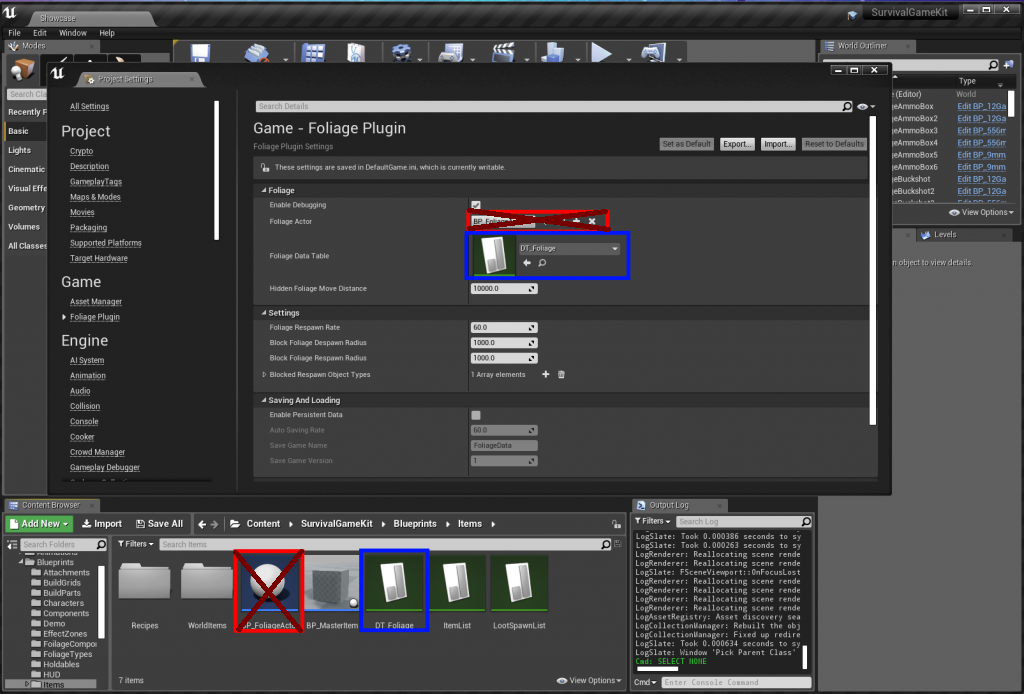
Set Foliage Data Table in Project Settings → Game → Foliage Plugin. The Foliage Actor is set per resource in the Data Table, not here.
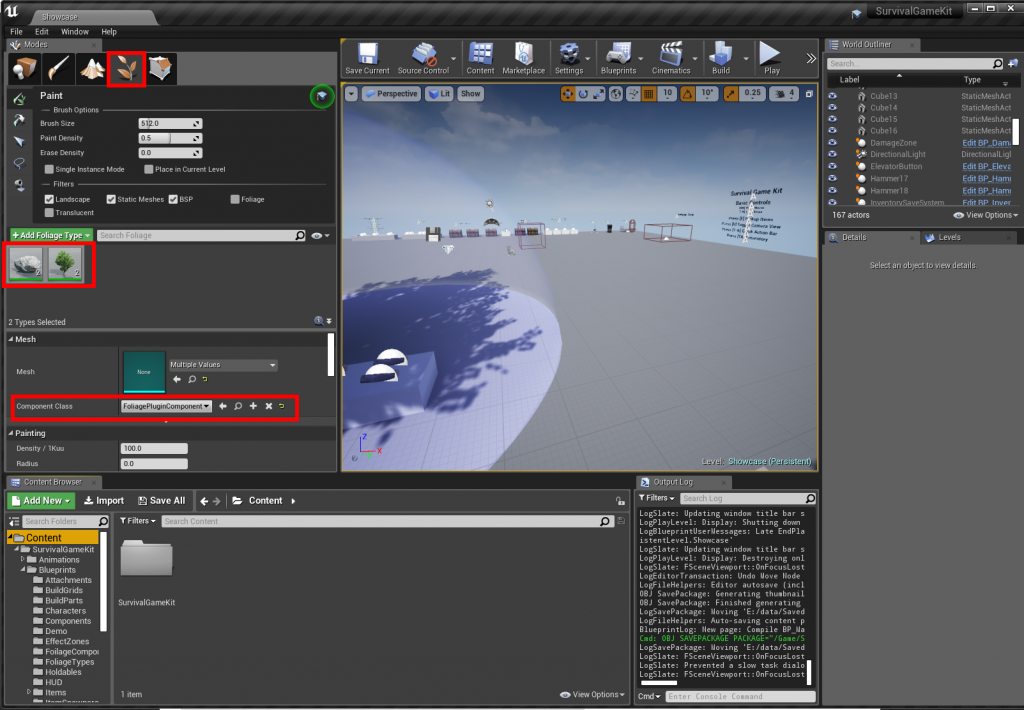
Step 4: Change the component class
Set Component Class to FoliagePluginComponent on your foliage types.
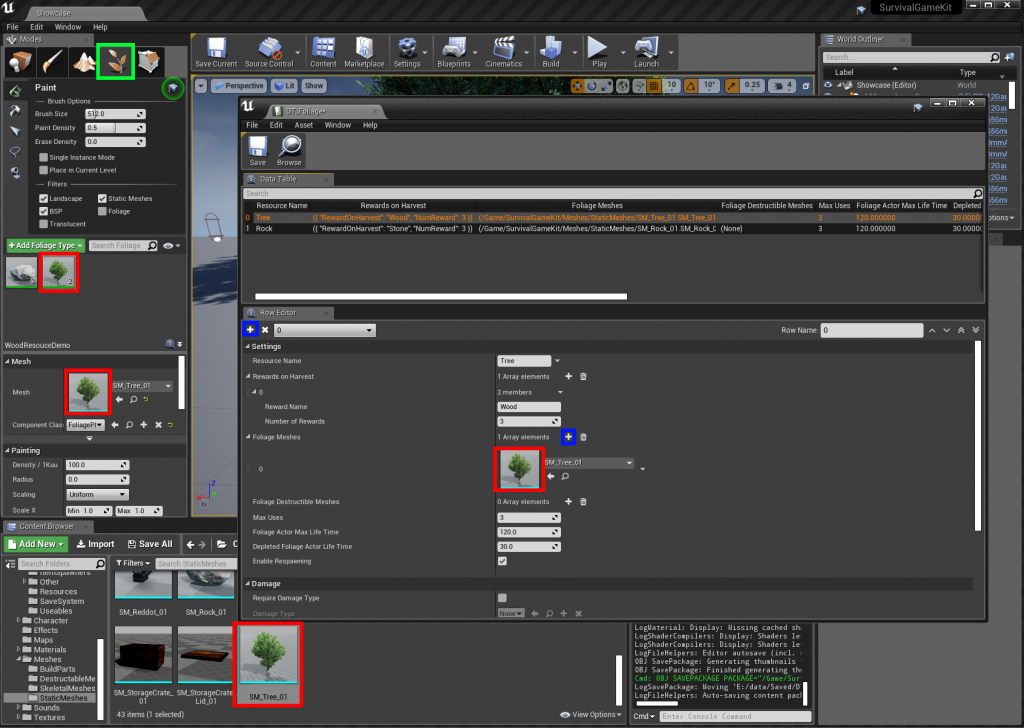
Step 5: Add a tree resource
Add a tree to the Data Table:
Set Foliage Actor Class to the Foliage Actor from Step 2:
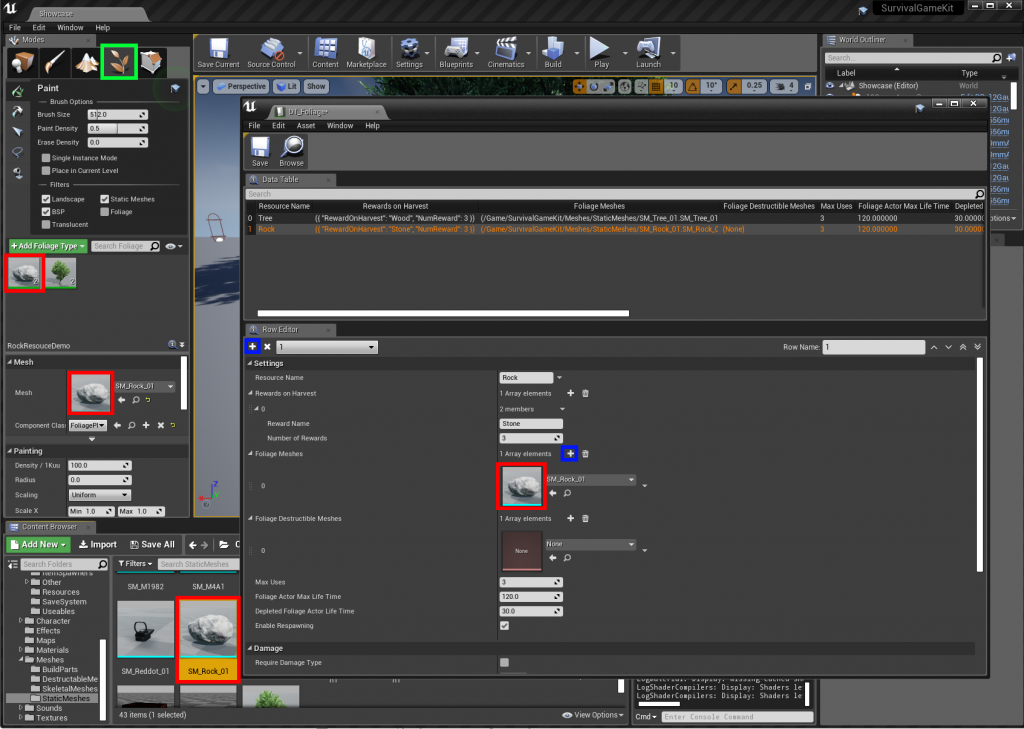
Step 6: Add a rock resource
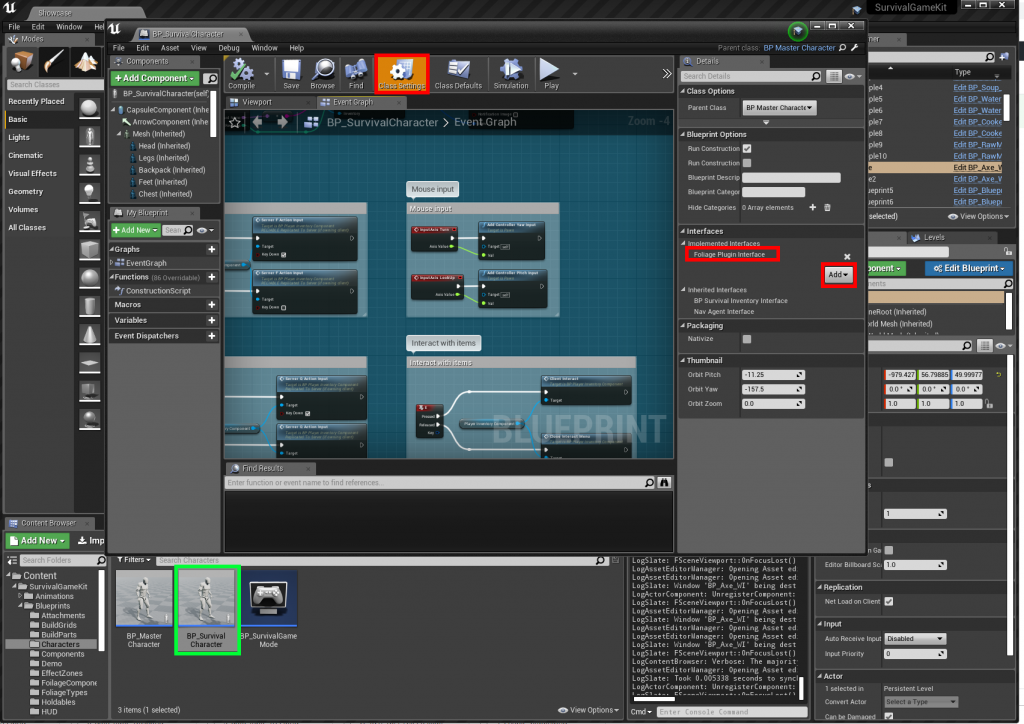
Step 7: Implement the interface on the character
In BP_SurvivalCharacter, add the Foliage Plugin Interface.
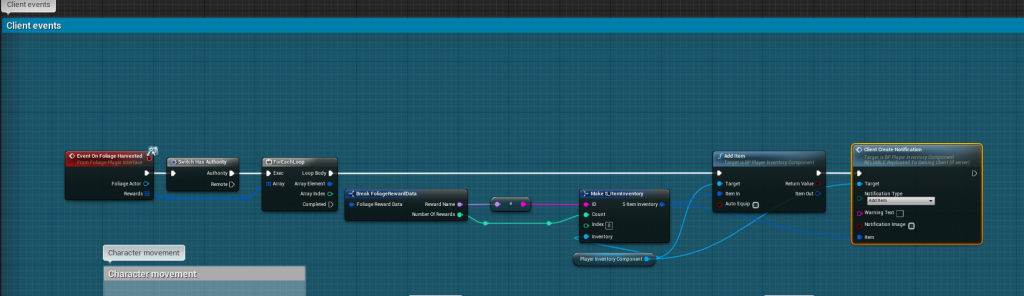
Add the harvested resources to the inventory:
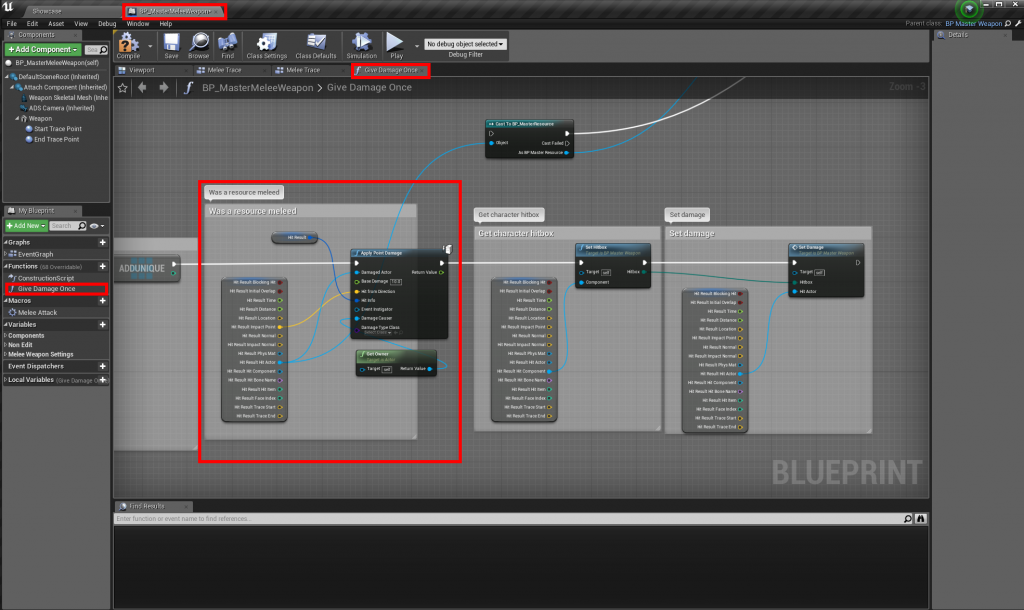
Step 8: Harvest with melee weapons
Open BP_MasterMeleeWeapon (/Blueprints/Holdables/BP_MasterMeleeWeapon) and change the Give Damage Once function as below:
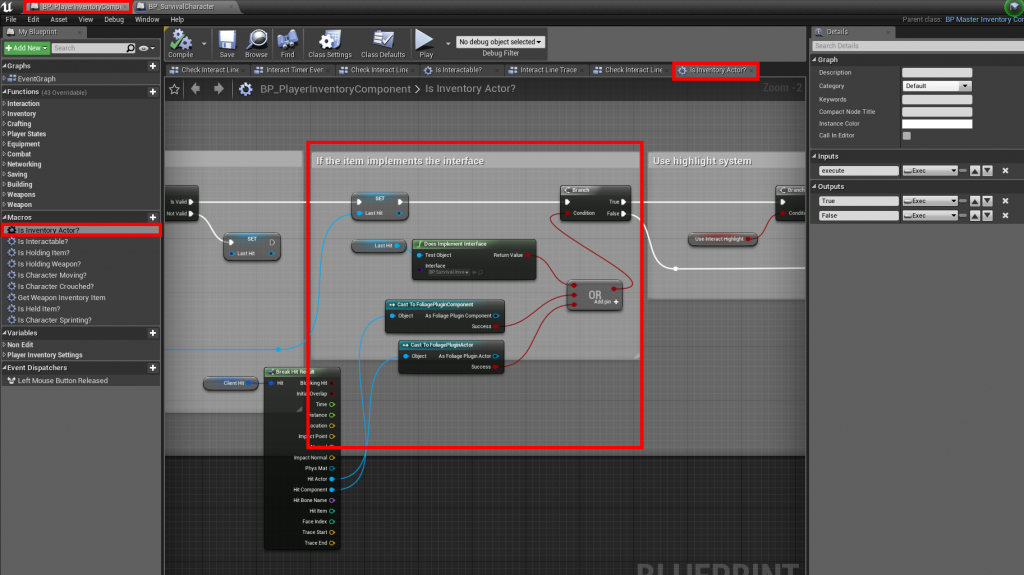
Step 9: Harvest with the interact key
Open BP_PlayerInventoryComponent (/Blueprints/Components) and change the Is inventory actor? macro:
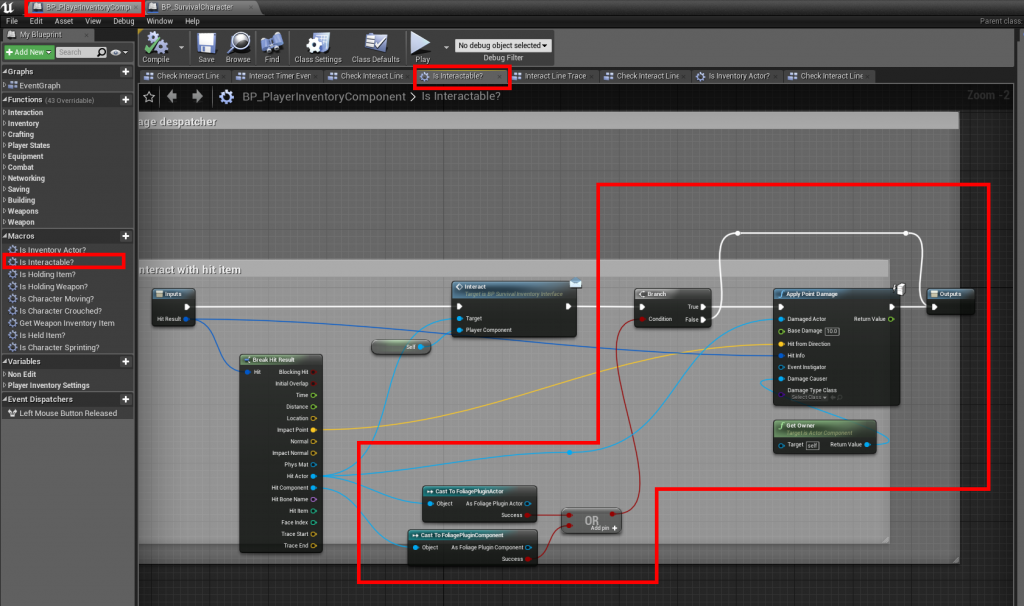
Then change the Is Interactable? macro: