Custom Foliage Manager
The Foliage Manager keeps track of hidden and removed instances, respawns them, replicates them and saves them. It is spawned automatically on the server. You can replace it with your own subclass to customize saving.
Step 1: Create the class
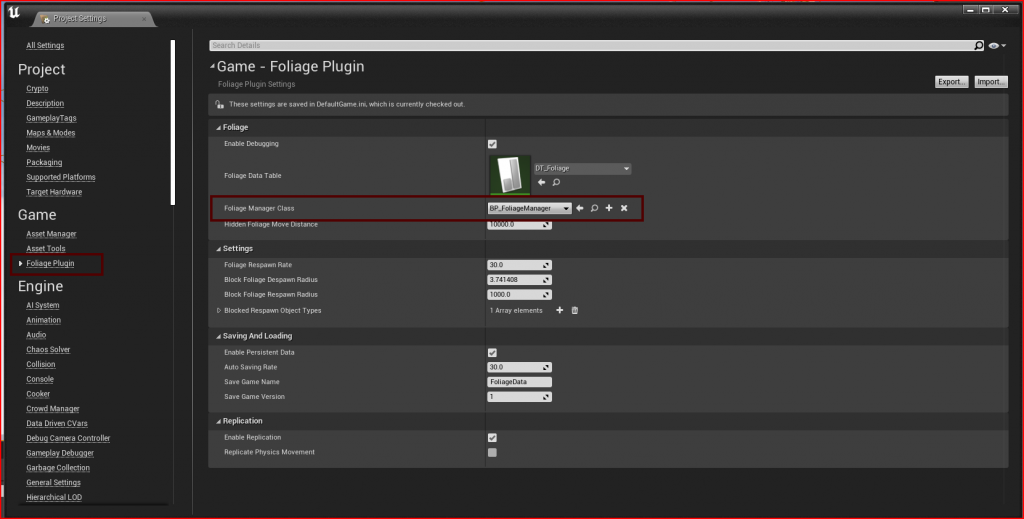
Create a Blueprint class with FoliagePluginManager as the parent class, and set it as Foliage Manager Class in Project Settings → Game → Foliage Plugin.
Step 2: Override the functions you need
| Function | Use it to |
|---|---|
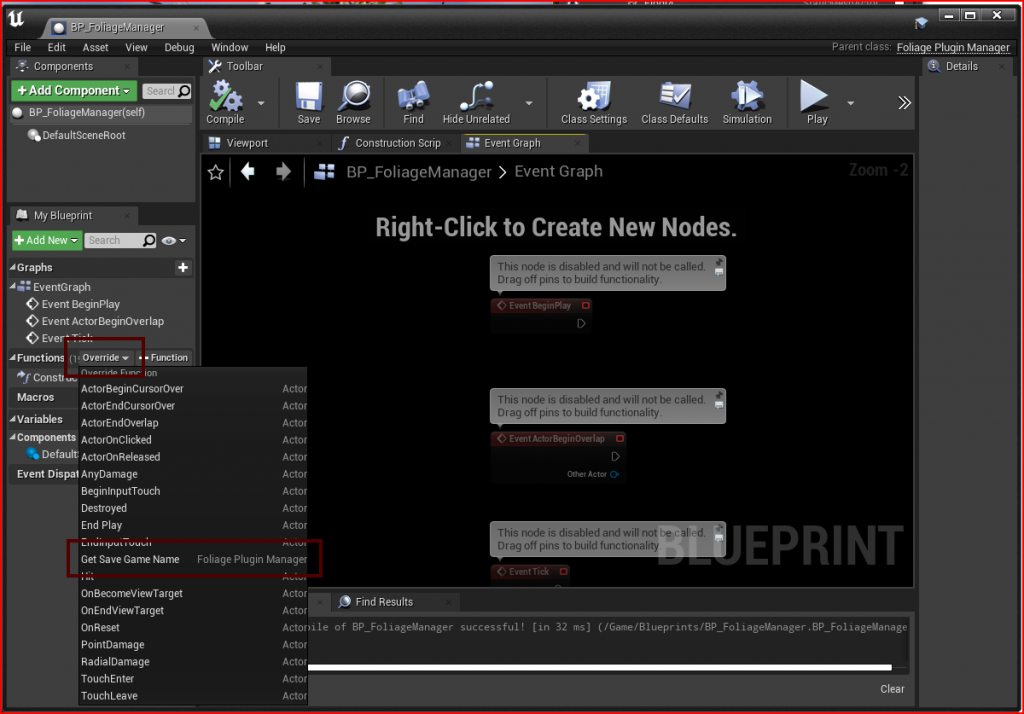
| Get Save Game Name | Return the save slot name to use, for example one per map or per save file. Overrides Save Game Name in the Project Settings. |
| Save Foliage Data to Disk | Replace how the data is saved. Return true on success. |
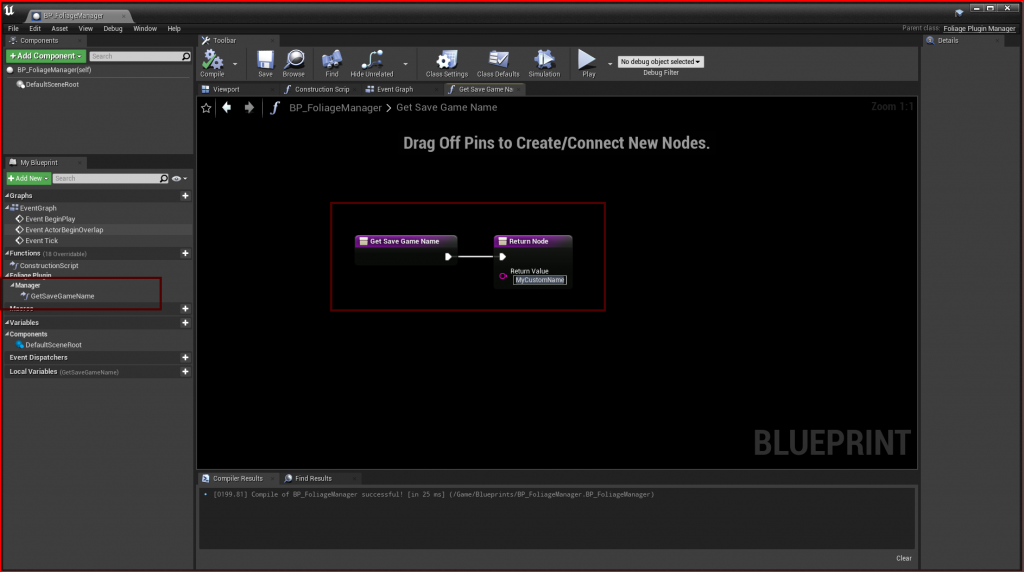
Return the name you want to use:
See Saving and Loading for how saving works.