Setting up Foliage
This page sets up a harvestable Tree. The same steps apply to rocks, bushes or anything else you paint as foliage.
Step 1: Create a Foliage Data Table
The Data Table holds every resource the plugin can interact with. Create a new Data Table and pick FoliageData as the row structure. In the examples it is called DT_Foliage.
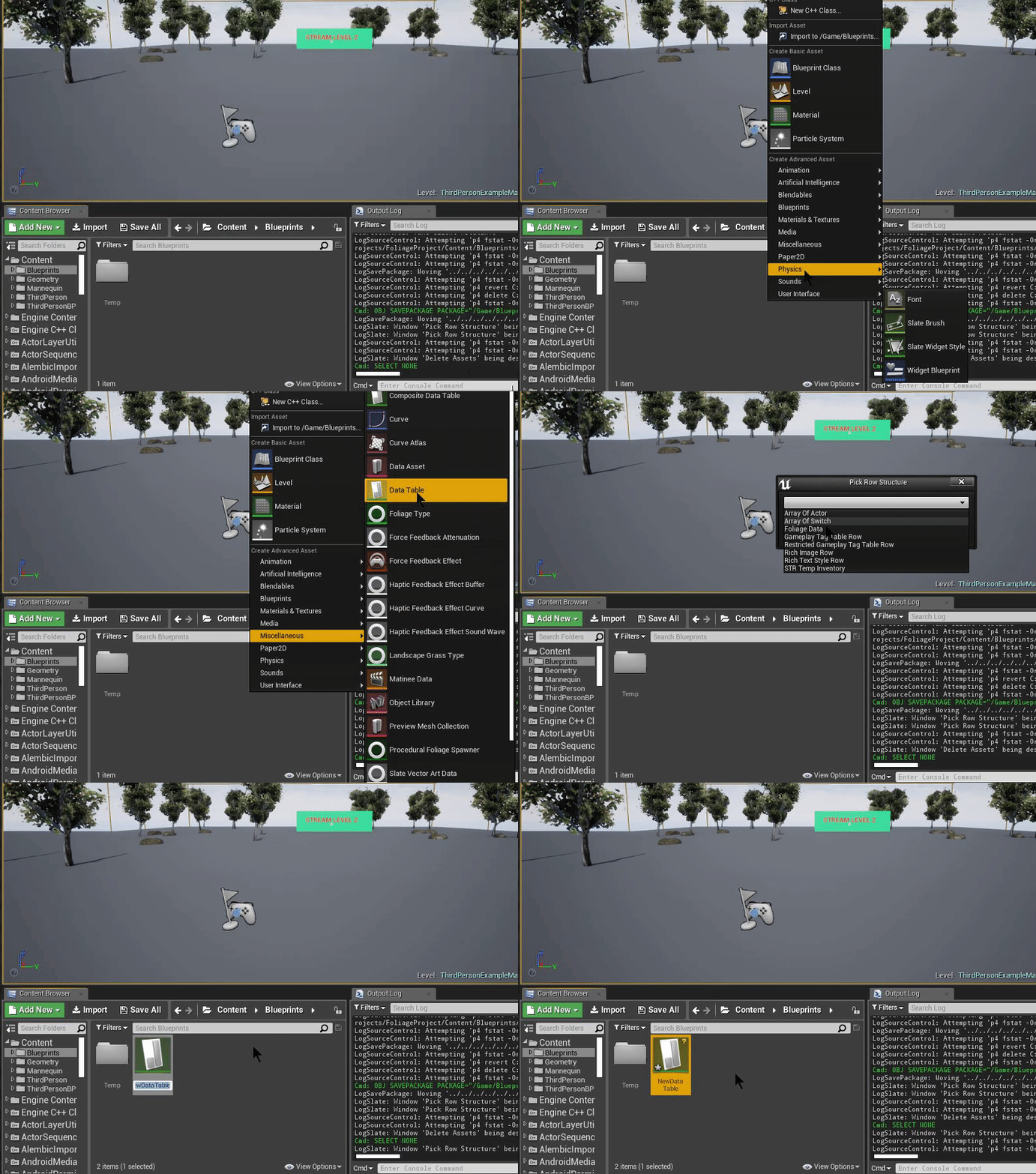
Step 2: Create a Foliage Actor
The Foliage Actor is the Actor that replaces a foliage instance when the instance takes damage. Create a new Blueprint class with FoliagePluginActor as the parent class. In the examples it is called BP_FoliageActor.
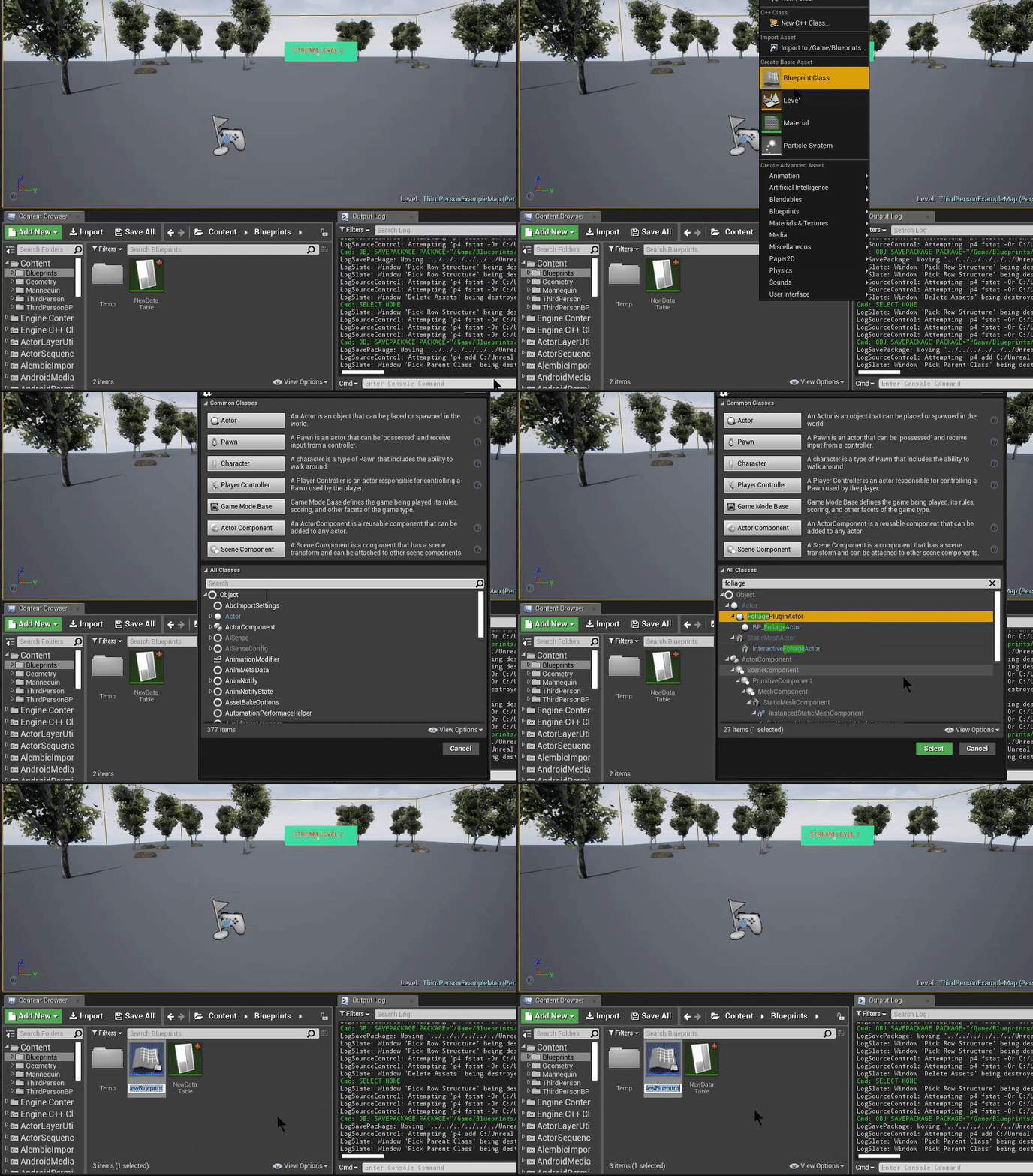
You can use one Foliage Actor for every resource, or create a separate one per resource. See Foliage Actor for the events and functions you can override.
Step 3: Assign the Data Table in the Project Settings
Open Project Settings → Game → Foliage Plugin and set Foliage Data Table to the Data Table you created in Step 1.
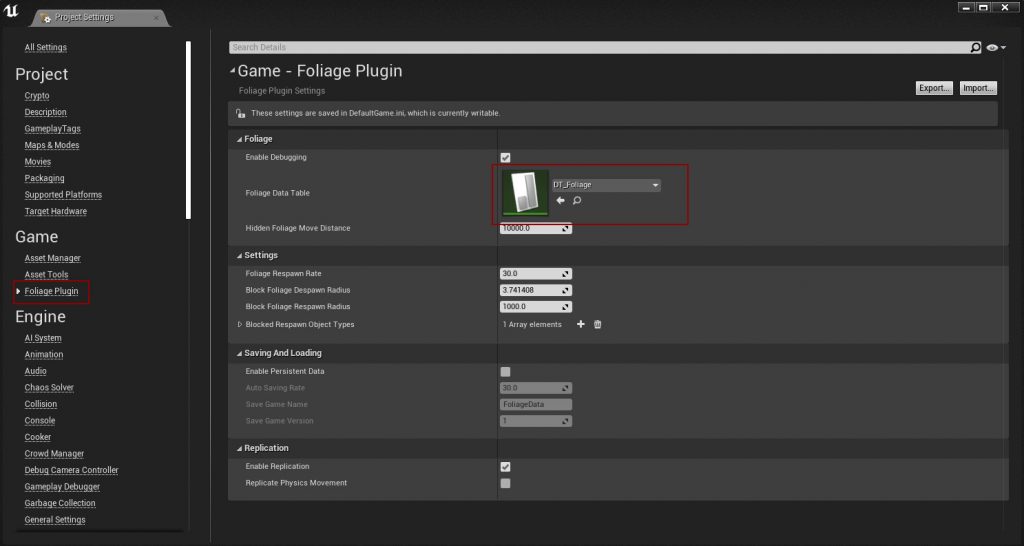
See Plugin Settings for every other setting.
Step 4: Use the Foliage Plugin Component on your foliage types
Open the foliage type of every mesh you want to interact with, and set Component Class to FoliagePluginComponent.
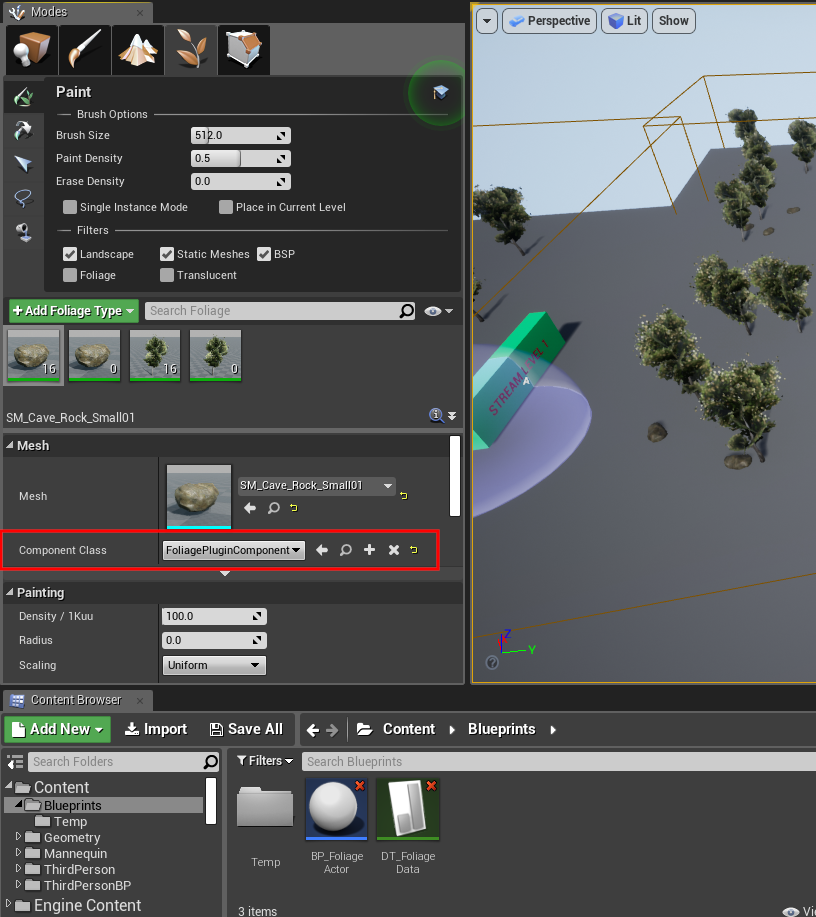
Instances that use the default component class are ignored by the plugin.
Step 5: Configure collision
The foliage must block the trace or projectile you use to apply damage. This example uses BlockAll. In a real project you will probably want your own collision profile.
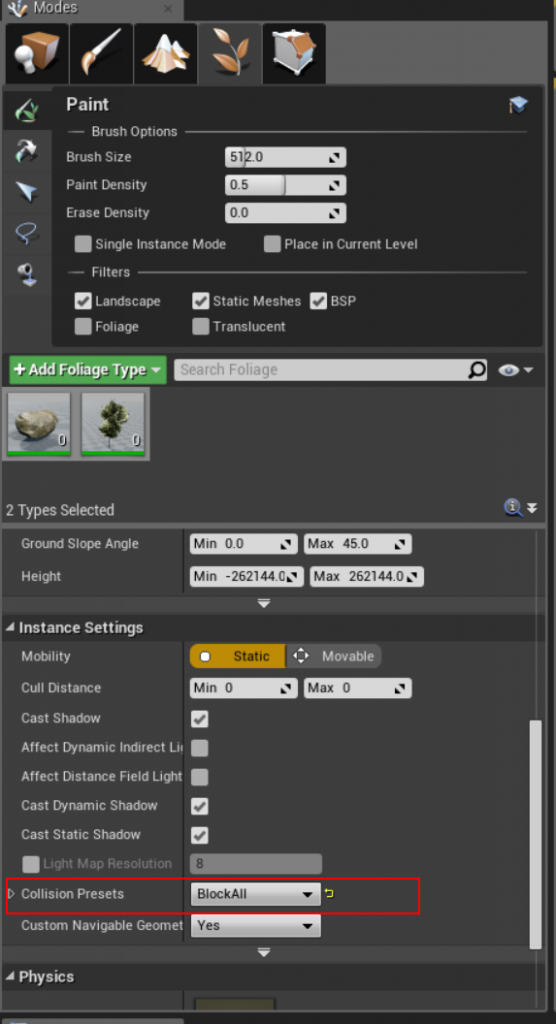
Also make sure the mesh itself has simple collision. See Collision Setup.
Step 6: Add the resource to the Data Table
Add a row to the Data Table for the tree:
- Add the tree's static mesh to Foliage Meshes. It must be the same mesh as the one you paint, this is how the plugin knows which row a foliage instance belongs to.
- Set Foliage Actor Class to the Foliage Actor from Step 2.
- Add the rewards the player should get to Rewards on Harvest.
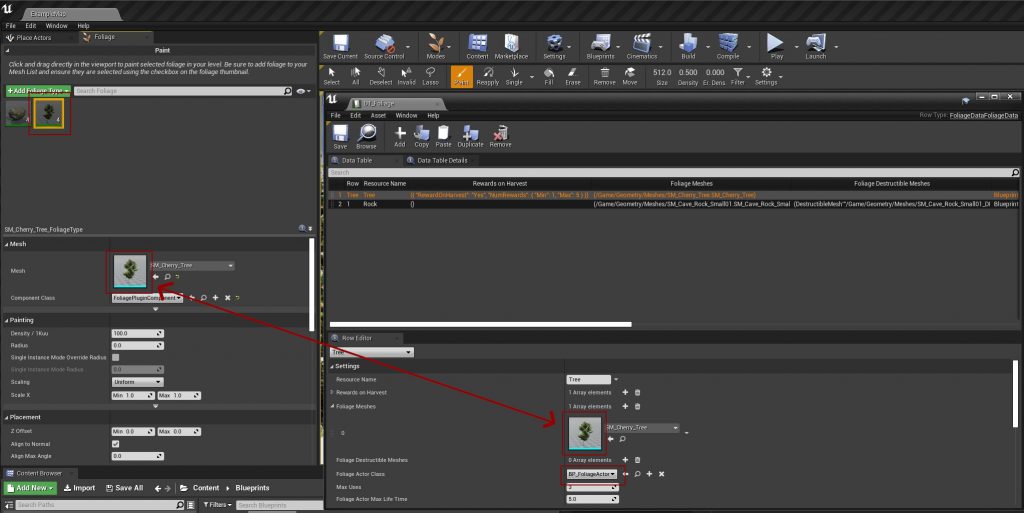
See Data Table Settings for every column.