Multiplayer Survival Game Template (MSGT)
This tutorial was made for an older version of the Multiplayer Survival Game Template and may need changes for newer versions.
Step 1: Create the Data Table
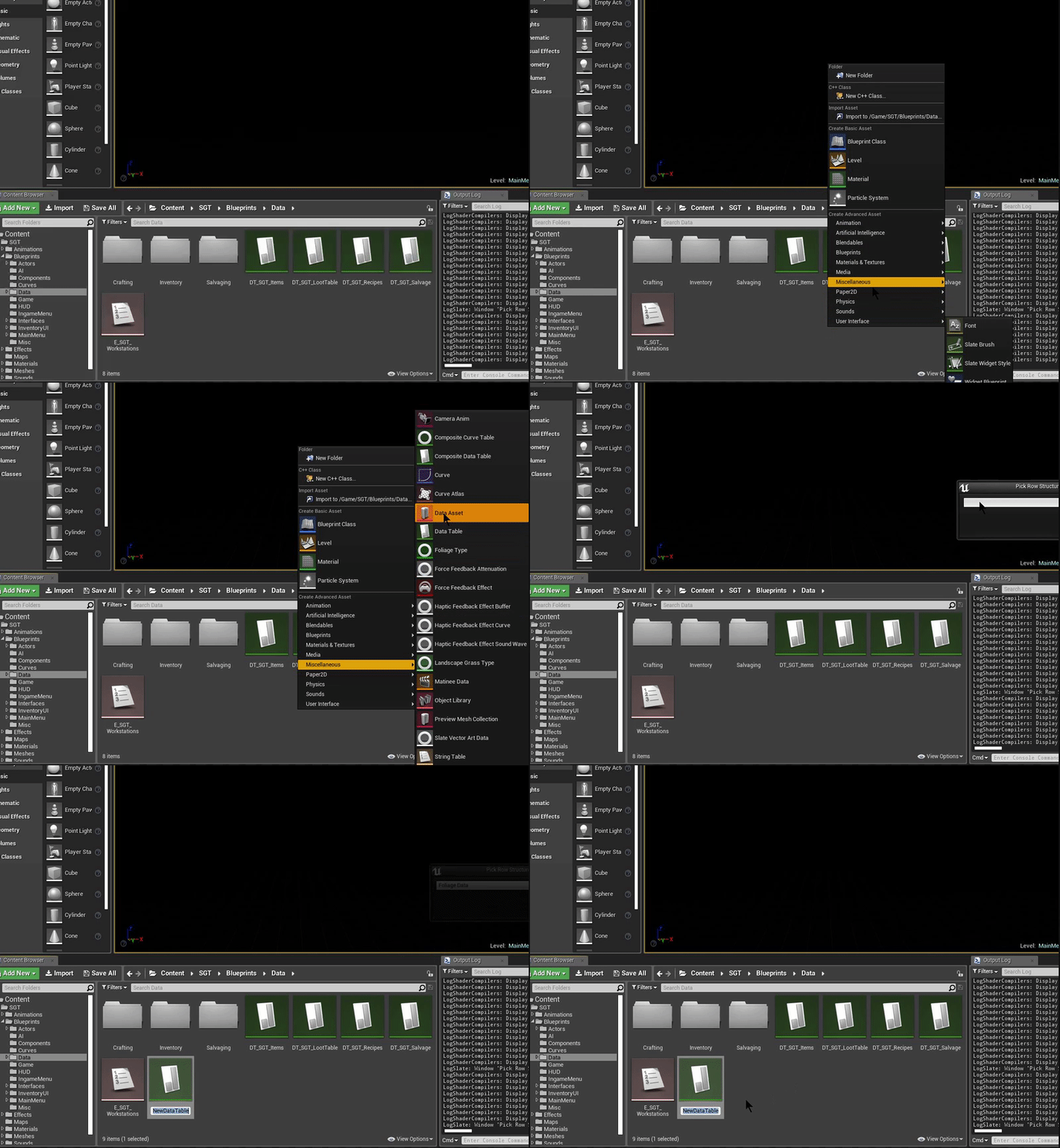
Create a Data Table with FoliageData as the row structure.
Step 2: Create the Foliage Actor
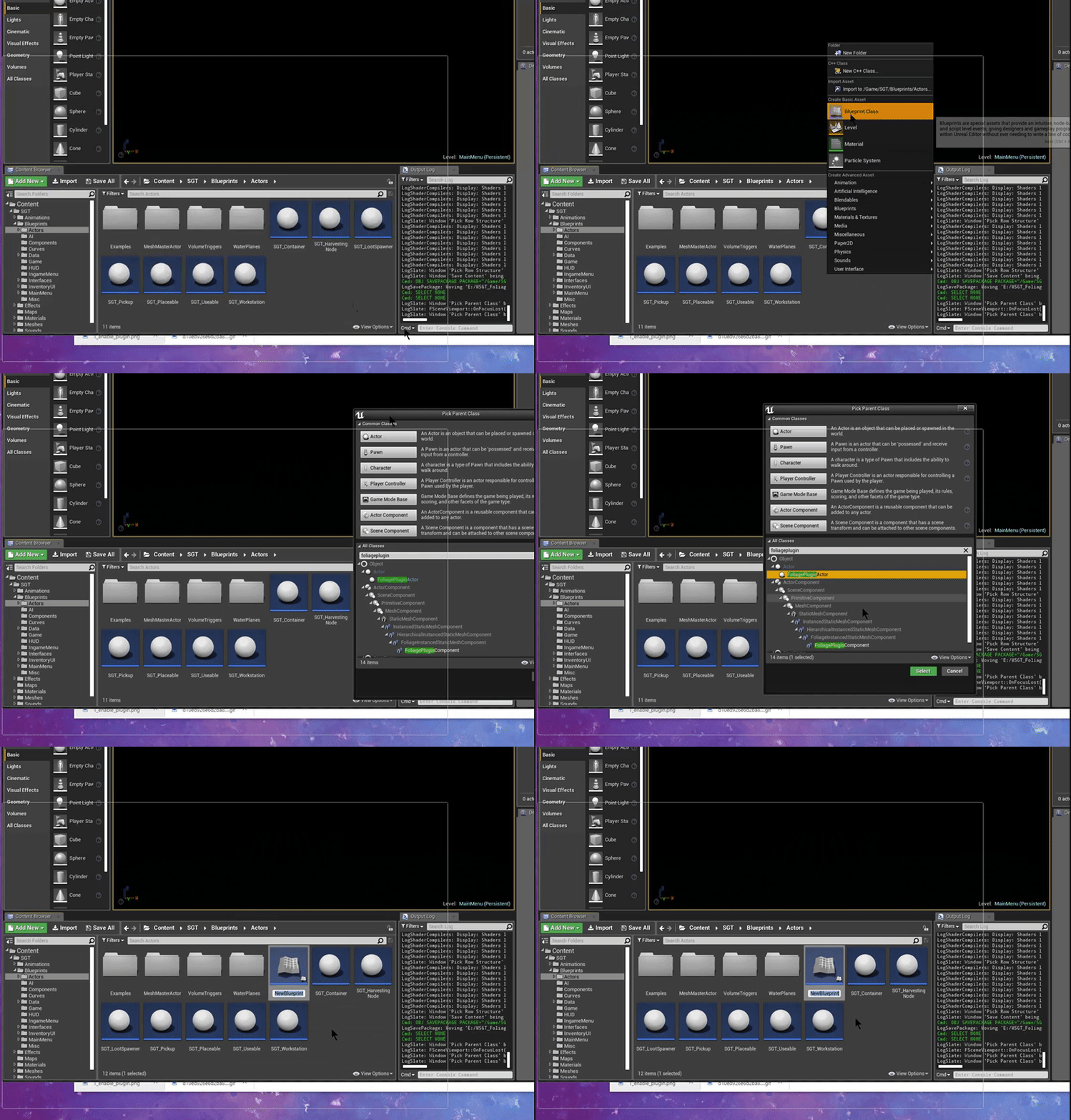
Create a Blueprint class with FoliagePluginActor as the parent class.
Step 3: Assign the Data Table in the Project Settings
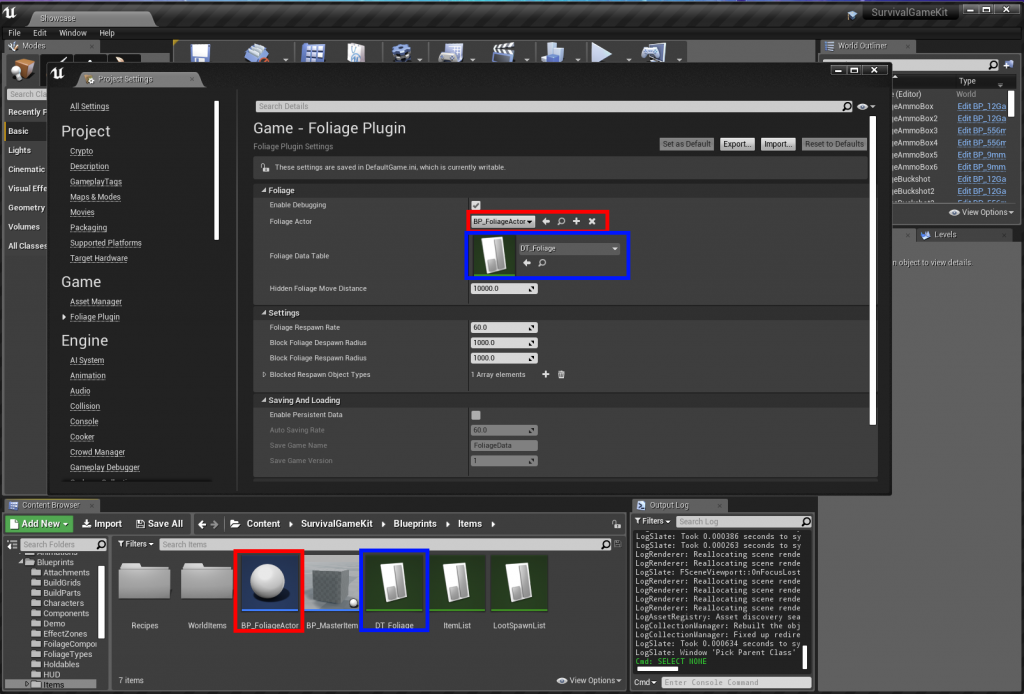
Set the Data Table in Project Settings → Game → Foliage Plugin. In newer plugin versions, the Foliage Actor is set per resource with Foliage Actor Class in the Data Table.
Step 4: Change the component class
Set Component Class to FoliagePluginComponent on your foliage types.
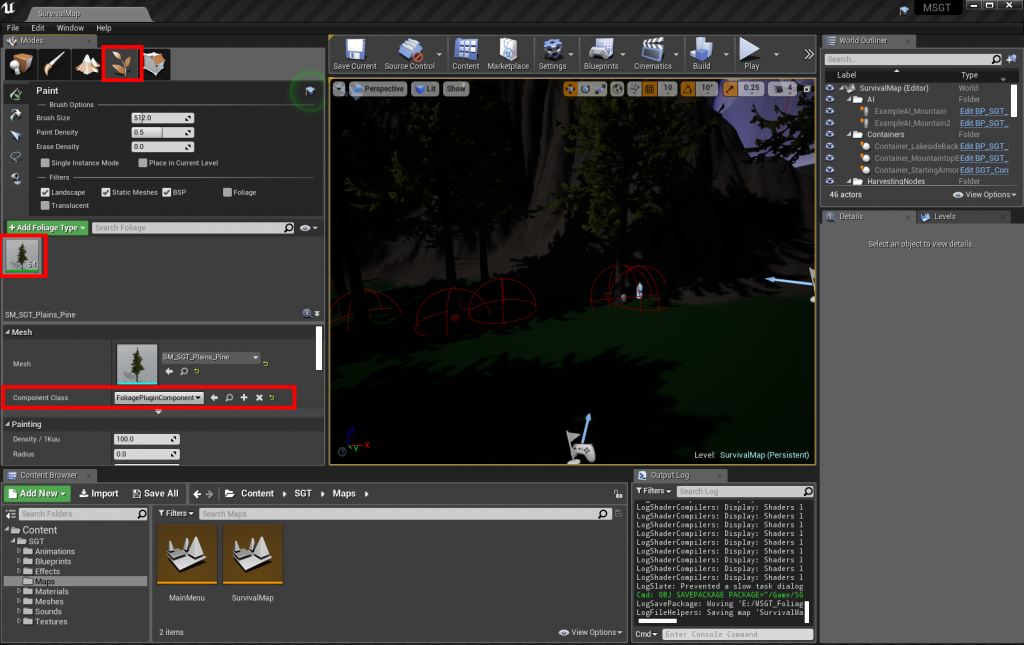
Step 5: Add a tree resource
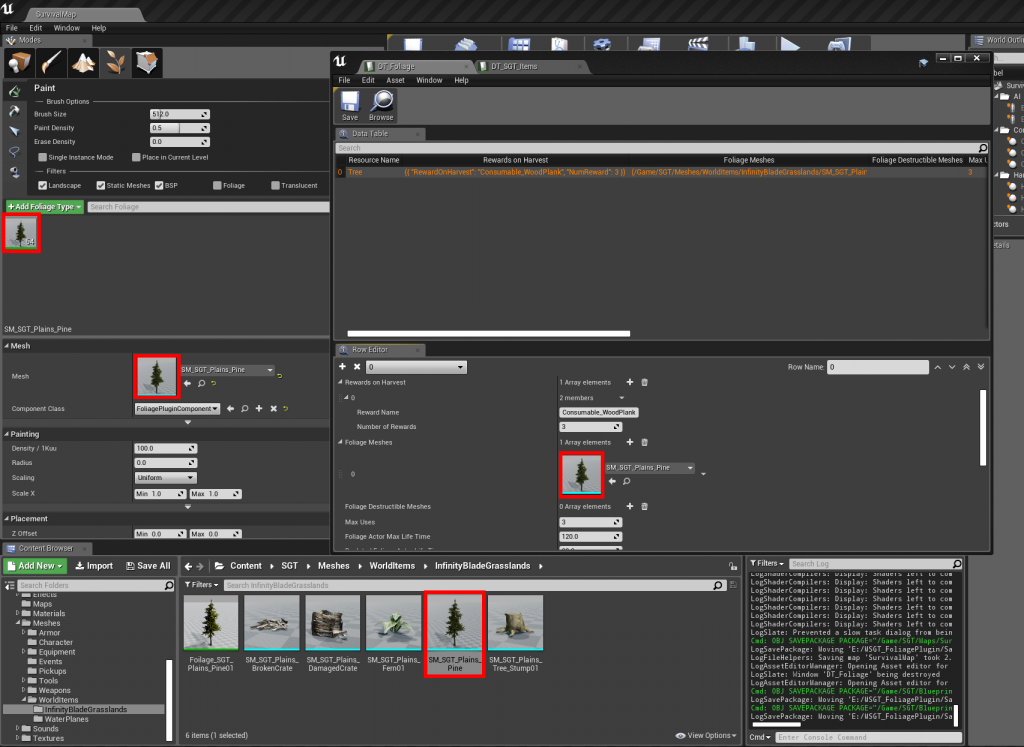
Step 6: Implement the interface in SurvivalController
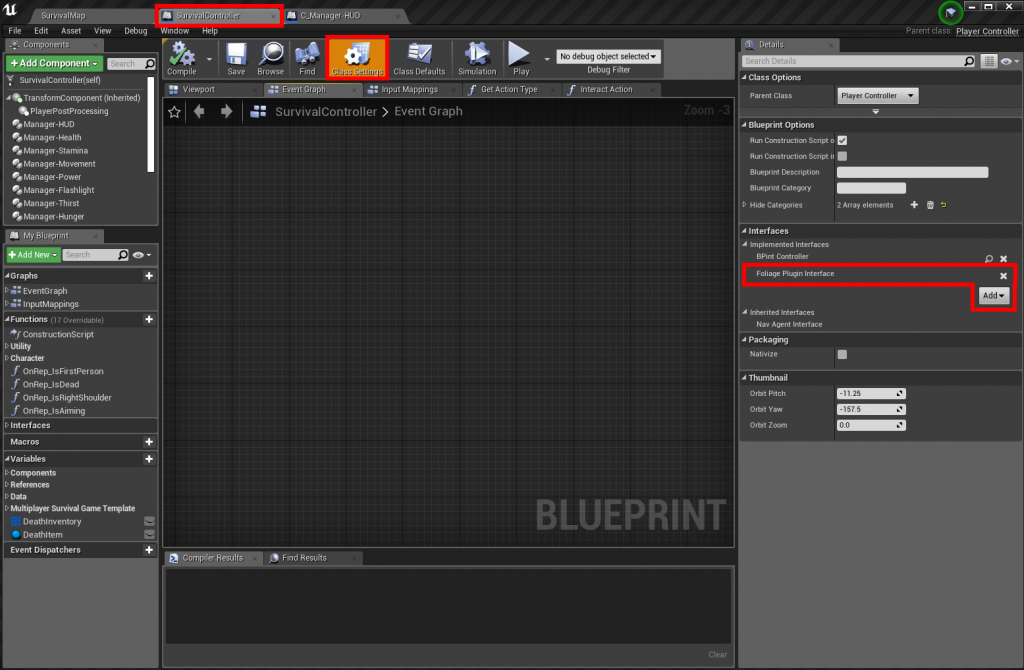
Add the Foliage Plugin Interface to the SurvivalController Blueprint.
Right-click in the SurvivalController Event Graph and add the interface event. This example adds the foliage rewards to the inventory:
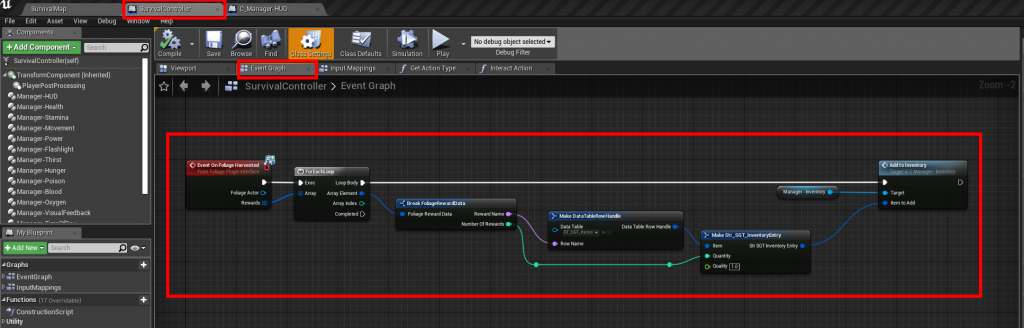
Step 7: Create the harvest event
In the SurvivalController Event Graph, create a new event as below:
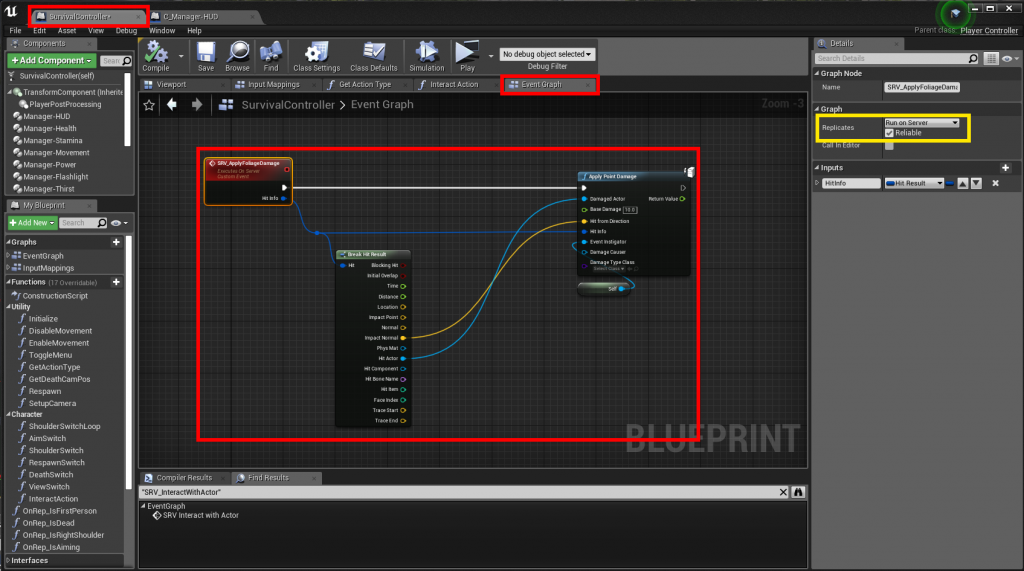
Step 8: Output the hit result from the interaction trace
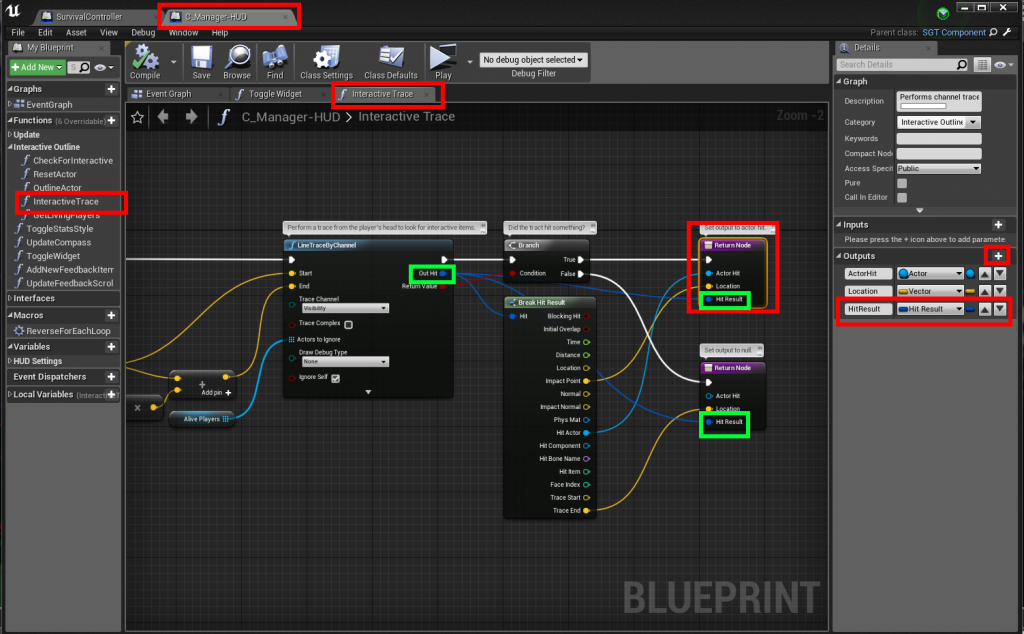
Open the C_Manager-HUD component and change the InteractiveTrace function to output the Hit Result:
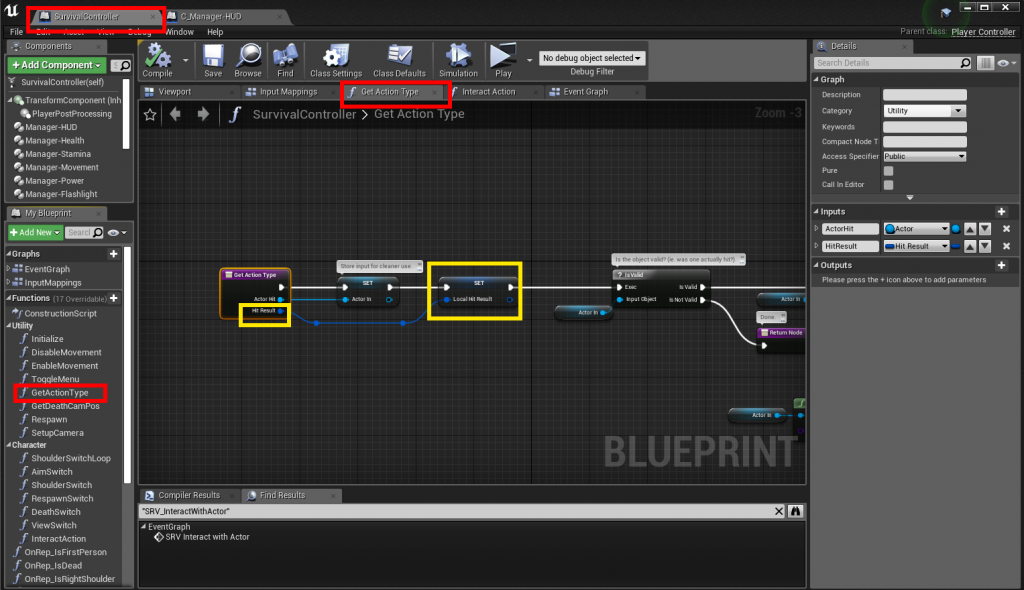
In the GetActionType function (SurvivalController), add an input of type Hit Result:
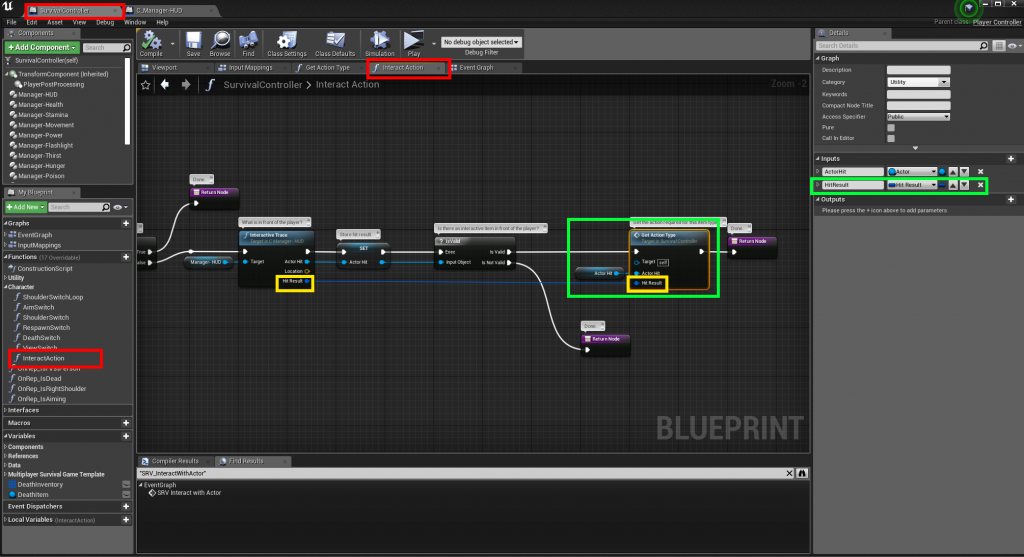
Connect the new Hit Result in the InteractAction function (SurvivalController):
Step 9: Call the harvest event
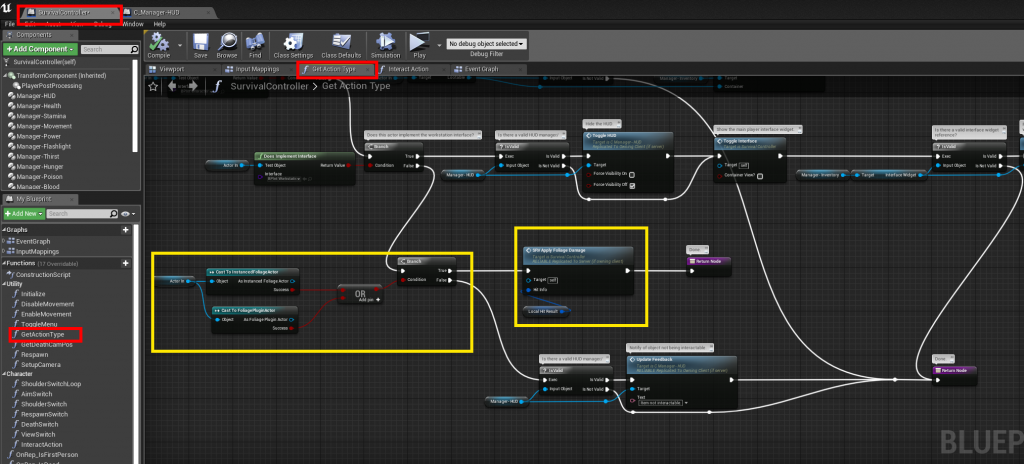
Change GetActionType to call the event you created in Step 7, as shown in yellow: